Pixbet Casino – Change Email Phone or Address

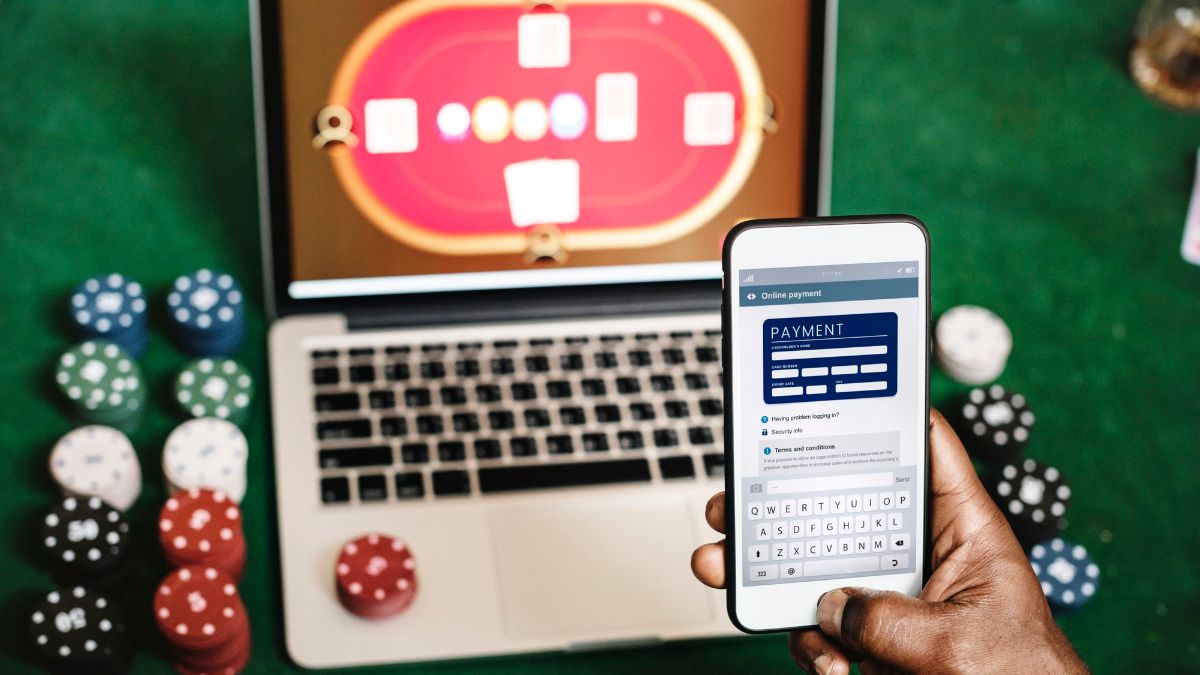
We update our account policies at Pixbet Casino from time to time, and having your contact details right helps you play without interruptions. If you’ve moved house in the UK, got a new mobile number, or just want a different email, you can sort it all out quickly on our secure platform. Before requesting a withdrawal, it’s a good idea for UK members to review their records—outdated info often causes hold-ups that nobody needs.
Timeframes and Confirming the Changes
Each kind of update works on its own timeline. Email and phone number changes that skip a manual check are typically done in real ctvnews.ca time once you tap the verification link or enter the code. You’ll see an on-screen confirmation right away, and you can review the new details on your profile. For address tweaks and anything that requires a document review, plan for it to take up to one working day. We process requests in the order they arrive, every day of the week.
Monitor your submission’s progress in the “Verification Centre” inside your account. A colour-coded dashboard tells you if documents are pending, being reviewed, or approved. We’ll also email you at each stage, so there’s no need to keep logging in. If nothing’s come through after 48 hours, reach out our UK live chat agents—they can retrieve your case file in a flash.
When all changes are accepted, the temporary withdrawal block lifts by itself. Then we’d advise doing a small test withdrawal to be sure your banking details still match your updated profile perfectly. A quick test like that has spared many UK members from payout reversals. If anything’s wrong, our payments team will resolve it the same day.
Proof of Identity You Could Be Asked to Provide
At Pixbet Casino, we handle document verification carefully to comply with anti-money laundering rules and to safeguard every UK player. Some updates, like a simple email update, go through automatically, but others always demand you to upload photo evidence. We’ve defined a standard list of accepted proofs so the process is straightforward and quick. The sooner you send clear, untouched images, the sooner our team can wrap things up.
- An up-to-date passport (photo and signature page)
- A UK photocard driving licence (both sides)
- A household bill for gas, electricity or water, within 90 days
- A local tax bill for this year
- A banking statement showing transactions and your address
- A UK government-issued identity card with full home address
Please capture or scan your documents in good light, and make sure all four corners show. Blurry or cropped pictures get rejected right away, causing hold-ups. On a mobile, the upload tool in your Pixbet account lets you take pictures directly, which often provides better quality. You can also attach PDFs if you’ve scanned your proof at home beforehand.
Sometimes we’ll also request a selfie holding your ID next to your face. This extra step—called a liveness check—is now standard for UK-licensed platforms. It requires a few more seconds and makes your account a lot more secure. After you attach everything, click the final submit button and watch for the confirmation email.
Setting up for a Seamless Update Process
To avoid snags, get your materials together beforehand. Keep your current password handy—Pixbet will ask you to re-authenticate before you can modify key contact fields. If you’ve activated two-factor authentication, which we suggest for all UK players, have your authenticator app or the phone that picks up SMS codes nearby. You won’t get the edit screen until you pass that authentication step.
Also look at the inbox tied to your Pixbet account. Even if you’re changing that email, we’ll dispatch confirmations to both the old and new addresses when the update’s done. Keep an eye on your spam or promotions folder for messages from our official domain. Including our domain to your safe list blocks important verification links from being missed. UK ISPs often have heavy filters, so a quick settings tweak is a wise move.
If you’re modifying a UK address, keep a recent utility bill, council tax statement, or bank statement close. We’ll most likely ask for a digital copy later. The documents need to be created within the past three months and display your full name and the new address plainly. Capturing those files ahead of time makes the verification stage almost instant.
Steps to Change Your Linked Email Address
Changing the email address associated with your Pixbet Casino account is something you can do from the “My Account” section. Try to avoid throwaway or temporary email services, as future password resets and important security alerts need a permanent inbox. Follow the steps below so the update is completed without a hitch.
- Log into Pixbet Casino with your current details; if you encounter a prompt, pass two-factor authentication.
- Go to the “My Account” menu and pick the “Personal Details” tab, which displays your current email.
- Click the edit icon near the email field, enter your new email carefully, then enter it once more in the confirmation box to spot typos.
- Hit “Save Changes”. The system sends a verification message to your new email immediately.
- Open your new inbox, look for the Pixbet Casino message, and tap the verification link. If nothing appears after a few minutes, check the spam or junk folder.
- After you follow the link, a confirmation page loads on our site, and your new email becomes active right away.
That verification link expires for 24 hours. If you miss it, you’ll need to start the email change request again. While you wait, your old email is still functional, so you can still receive login codes in case two-factor authentication is tied to it. A few UK email providers use heavy quarantine filtering that can slow delivery; be patient and include our domain to your safe sender list before starting.
As soon as you confirm the link, the change is applied. As a precaution, we place a 24-hour withdrawal hold on accounts that just changed contact info. That cooling-off period is typical across the industry and safeguards your funds secure from anyone who shouldn’t be able to access. Active bonuses or playing sessions remain unchanged, and you may withdraw normally once the hold ends.
Refreshing Your Phone Number Securely
Your phone number is a key recovery tool and might be needed for SMS verification when you access from a new device. To change it, navigate to the personal details section and find the phone field. Type in your new UK mobile number, with +44 as the country code. We’ll transmit a one-time passcode to that number immediately. Enter it on screen to finalize linking the number.
If you can’t get into the old number, we’ll need to check your identity by other means. Reach out to support, and be prepared to answer security questions and send a photo of your ID. We may ask for a selfie where you present that ID—a step many UK casino sites utilize to prevent SIM-swap fraud. Once we’re sure it’s you, we’ll remove the old number and attach the new one.
After the number change, sign out and again to verify everything works. That quick check verifies future SMS codes will arrive fine. Bear in mind, like with email updates, a short withdrawal restriction kicks in. We implement that safeguard for all contact changes, not just phone numbers, so you can rest easy.
Frequent Problems and How to Overcome Them
Despite a straightforward design, terms and conditions Pixbet Casino, things can trip you up. A verification link that fails to appear is a common snag. Often, the email gets trapped in the spam filter—many UK users with providers like BT Internet or Sky report this. We recommend adding our domain to your safe sender list before you begin the process. If the link still fails to come, request a fresh one from the account dashboard.
Another common problem is document rejection. Our compliance team must follow tight rules, so even a tiny mismatch—like a middle name that’s a bit wrong or a bill that’s expired—gets rejected. If that happens, go through the rejection email in detail: it details what went wrong. Then upload a corrected file straight away. We don’t penalise anyone for multiple tries, as long as the info is real.
Some players get nervous when a routine update prompts a sudden request for extra ID. We understand that, but keep in mind these checks are there to secure your finances. UK gambling sites are prime targets for social engineering, and thorough verification is the strongest protection. If you ever detect a phishing attempt, don’t click any link—head directly to our official website instead. Our support team will gladly verify whether a message is genuine.
Lastly: a small number of changes get delayed because the profile info isn’t complete. For example, if your registered name doesn’t match the name on the bill—maybe you used a nickname or omitted a middle initial—we’ll need both documents amended. To prevent that exchange, make sure every field matches your ID exactly before you press submit. A quick double-check now can avoid days of downtime.
Modifying Your Living Address
Modifying your address is the most critical profile update, so we handle it with extra care. You can try editing the address fields directly from your account settings. But if the change involves a different UK postcode, our system flags it for a manual check. Don’t worry—that just means someone from our UK compliance team will look at it within a few hours.
We’ll request you to upload proof of your new address. That could be a council tax bill, a gas, electricity or water utility invoice, a bank or building society statement, or a driving licence with the updated address. Every document needs to be legitimate, show your full name, be dated in the last 90 days, and match precisely the address you typed. We can’t take mobile phone bills or screenshots of online banking.
After you upload the document, reviews usually take two to twelve hours, though in busy times it could go to twenty-four. We’ll email your registered address when the change is confirmed or if we need more info. You can carry on playing while you wait, but a few withdrawal methods might be unavailable temporarily. Thank you for your patience. We’ve made the verification process as efficient as UK rules let us.
Managing Account Details
UK gambling sites have to adhere to tight identity checks, and Pixbet Casino does the same. Your email, phone number, and home address are at the heart of your player profile. Whenever you ask for a withdrawal or redeem a bonus, our system checks them against the documents you’ve already sent us. We hold your data private and never pass it to anyone who shouldn’t have it. Keeping your details accurate isn’t just a rule—it protects you and the whole Pixbet community against fraud and account abuse.
Circumstances shift. You could change address, get a new mobile number with a better UK network deal, or opt for a more private email service. When that happens, changing your Pixbet profile should be near the top of your list. Our self-service tool handles most changes without you needing to talk to support. That said, some high-security changes need extra verification, and we’ll explain those cases.
Before you get going, log in from a device you are confident with and make sure your internet is steady. Many UK players rely on public Wi‑Fi, but we’d rather you didn’t key in sensitive details on unsecured networks. A bit of prep now avoids time and headaches later. Our own numbers show us that members who go through the step-by-step guides finish changes in less than ten minutes on average.
Frequently Asked Questions
Can I change my email and phone number at the same time?
Yes, both can be updated together. However, each change requires its own verification, so you will get two distinct confirmation messages. The temporary withdrawal restriction applies only once, covering the entire session. We suggest making one change, confirming it works, then proceeding to the next—it keeps things more straightforward. If you try to change several sensitive fields and any verification fails, it can be trickier to pinpoint what caused the delay.
What should I do if I no longer have access to my old email account?
If you cannot access your old email, contact our support team immediately. We will go through some security questions and request a copy of a government-issued photo ID to verify your identity. Once we’re happy, we can manually swap the email on file. This typically takes a few hours, and you will need to provide us with a valid new address you control.
Why has my address change not been processed after 24 hours?
Most checks are finished within a day, but heavy demand or UK public holidays can occasionally delay it. Check the “Verification Centre” for any additional requests. If your document was unclear or did not meet the requirements, our team leaves a note explaining the issue. You can also start a live chat for an immediate status update.
What documents are accepted for proof of address?
Utility Bills and Council Tax
Valid proofs include a gas, electricity or water bill from the past 90 days. We can’t accept mobile phone bills. A council tax bill for the current year works too and is often the fastest to check.
Bank Statements and Driving Licence
A UK bank or building society statement with your name, address, and recent transactions is accepted, as long as it’s less than three months old. A photocard driving licence showing your new address works, but upload both sides.
Will updating my contact details impact my bonuses?
No, changing your email, phone, or address doesn’t touch active bonuses or wagering requirements. Your bonus balance and progress remain unchanged. The only limitation is the temporary withdrawal hold we impose after a sensitive change, and that does not impact your eligibility for promos. If you’ve got a bonus that needs a deposit, you can still add funds while the hold is on, as long as the payment method is in your verified name.
Related Blogs
House of Fun Slot : Spieler-Rezensionen und Bewertungen
House of Fun Slot ist ein ein Spielautomat und kein Betreiber eines Casinos; unsere Untersuchung konzentriert sich daher auf...
An Introductory Guide to Live Casino Studios
Walking into the world of live casino gaming can resemble stepping onto a film set https://spinlinecasino.com.es/. The lights are...
Ce qu’il faut savoir sur les limites de mise au casino
Chez Incaspin Casino, le jeu en ligne doit rester un plaisir, et non une source d’angoisse financière https://incaspin-casino.eu/fr-be/responsible-gambling/. Saisir...
Westace Casino Sub Affiliate Program for Spain Partners
Zvyšování affiliate marketingové stopy na regulovaném španělském iGaming trhu vyžaduje chytré nástroje a partnerství, na která se umíte spolehnout...
Breaking Down Casino Gameplay
Casino gameplay is greater than just rotating reels or placing chips on a felt table. It is a meticulously...
App von Sloterra Casino: Crash-Spiele fürs Smartphone
Die mobile Spielerfahrung hat sich in Deutschland grundlegend gewandelt, und Crash-Spielautomaten stehen dabei im Mittelpunkt eines neuen Trends. Mit...
Betjet casino : machines a sous et jeux de table
Le coeur d’un casino en ligne reste son offre de jeux. Betjet casino propose des machines a sous aux...
Casino sans wager : le plafond de gains, le detail a surveiller
Le format sans wager supprime la condition de mise, mais pas toujours le plafond de gain. Des free spins...
The Reason Casino Jackpots Are Important for Players
Jackpots matter because they transform the math of an online casino experience. They introduce a dimension of upside that...